Quantexa Support Channels
There are a range of support channels available to developers using Quantexa technology, each with their own specific uses. It's important to use the appropriate channel to ensure you get the best support as quickly as possible. Since December 2023, all developer support for customers and partners is handled through the Quantexa Community.
💬 Quantexa Community
The Quantexa Platform Support Topic is a private Community channel dedicated to Quantexa developers to help with Quantexa Solution development. This is the best channel for access to Community support networks as it is used by wider Quantexa teams and users. It is a continually-growing knowledge base resource.
Intended use:
- Non-urgent Customer queries
- Asking non-sensitive questions
- General help on a topic that is not covered in the documentation
- Searching for known previously encountered issues in previous posts
- Queries on errors, explanation of log messages, best practices
- Requesting advice on debugging approaches
Not covered by Community Support: some requests are really asking Quantexa to carry out delivery work rather than provide guidance, and are routed to a Delivery Manager, delivery lead, or your TAP instead. This includes:
- Bespoke code or configuration (e.g. writing graph scripts, ingestion code)
- Architecture and performance consulting (e.g. environment sizing, cluster tuning)
- Multi-version upgrades and breaking configuration migrations
- Issues on end-of-life product versions (no patches or active troubleshooting)
- Custom data or database migrations
- Client infrastructure debugging (network, firewall, Active Directory issues)
For other support queries (not related to developer support) please leverage our other Community Topics e.g. Getting Started or if you have a question related to an industry use case, why not check out our User Groups?
Access:
- URL: Quantexa Platform Support
- Login or register with your corporate email address to access the Quantexa community
- If you have registered for the Quantexa Community you'll also be able to access the Documentation Site.
Note: Please do not post confidential material, personal data, sensitive intellectual property, passwords/API keys, or screenshots of private content on the Community - see the Developer Support Portal below for sharing this kind of information securely.
There are no formal SLAs for responses on the Community, but it is actively monitored by Quantexa and questions are routed to the most relevant team or individual as quickly as possible.
🔒 Developer Support Portal
For queries that involve sensitive or confidential information that cannot be shared in Quantexa Platform Support - for example large log files, project-sensitive data, extensive back-and-forth investigation, or a screen-sharing session.
Intended use:
- Sharing sensitive or confidential log files and configuration detail
- Files too large to upload to the Community
- Investigations expected to need extensive back-and-forth or log exchanges
- Where a screen-sharing session is required
Access:
- Access is limited to specific users and only granted when needed
- Users are invited and managed by the R&D Support Team - raise your Community post first, and the Support Team will open a ticket and invite you if it meets the criteria above
📝Note: Personal data (PII) must always be redacted before sharing, even on this restricted channel.
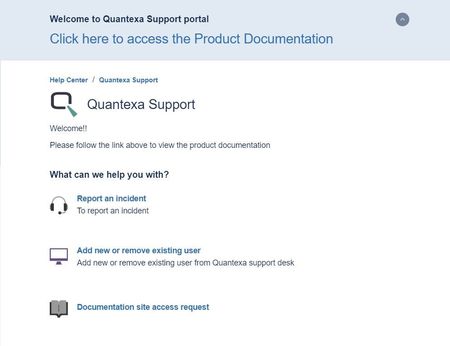
🔌 Product Support (Post Go-Live)
Tracking of all service desk tickets and incidents. Responses based on service level agreements (SLAs).
24/7 Telephone Support for severity 1 and 2 incidents covering 7 geographical local helpdesk numbers.
Countries & Support Phone Numbers (only available to those with live projects)
- Australia: 1800024721
- Canada: 18665430596
- India (Calls to the Indian number need to be made from a local Indian handset that also has the ability to make international calls): 0008000502021
- Malaysia: 1800810964
- Singapore: 8001205119
- UK and Europe: 03301595273
- USA: 18447409220
- Japan: 0066338681 69
Quantexa Support is available to all clients with a live solution in production and is intended for:
- Reporting any product-related production incidents that need vendor support
- Core Quantexa Platform issues and break-fix support
- Tracking of all support tickets and sharing logs (redacting any sensitive data)
- Raising service requests e.g. requesting release files or advising if a version upgrade
Access:
- The client and their support team members need to be onboarded as part of going live (by PM) by raising a request in the QS portal

 Community Team
 Quantexa Team
 Quantexa Team